Gameplay videos are the lifeblood of today’s gaming culture. From helping fellow gamers conquer the seemingly unconquerable levels to offering a virtual gathering space for like-minded enthusiasts, these videos serve a purpose far beyond mere entertainment. They’re your ticket to industry influence, your platform for community building, and sometimes, if you hit the right chords, your stairway to stardom.

So get ready to transform your gaming thrills into a video that kills — figuratively, of course. Think of this guide as your toolbox, packed with everything you need to create gameplay videos that truly stand out and amaze your audience. No more hesitating; let’s get on the road!
Preparing to Create Gameplay Videos
Selecting a Game and Target Audience
Choosing the game is like selecting the main character for your blockbuster movie. This star performer has to resonate with both you and your audience. Dive into Reddit threads, stalk gaming forums, or simply ask your friends — get to know what makes your audience click and pick a game that fulfills that craving.
Required Hardware and Software:
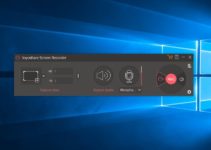
If you’re going to be a gaming maestro, you need an orchestra of gear to back you up. Beef up your gaming rig, and invest in a quality microphone and headphones. For the software part, you’ll need a proper game recorder to capture, analyze, and share your gameplay effortlessly.
Planning and Script
Here’s where the rubber meets the road. Map out your game plan like you’re setting up an intricate dungeon in D&D. Are you aiming for a boss-level tutorial or an edge-of-your-seat thriller gameplay? You should plan every move to ensure success.
Technical Aspects of Creating Gameplay Videos
Customizing the Graphics and Sound in the Game
Customizing graphics and sound means enhancing the quality of your content, forging your identity, and offering viewers an extraordinary and immersive experience. Through careful and creative customization, content creators can make a lasting impact and connect with a broader audience.
Recording Gameplay: Tips on Quality and Stability
Simply hitting the ‘Record’ button won’t do the trick. Instead, approach your game recorder’s settings with the precision of someone defusing a bomb — cautiously yet confidently. With Insights Capture, you can fine-tune those frame and bit rates until your footage is as smooth as a jazz saxophone solo.
Video and Sound Editing
This is where the magic happens. Take your time, like a skilled chef preparing a gourmet meal. Edit your footage and audio with care until it’s top-notch. And don’t forget, audio is essential — it brings your video to life.
Creating Quality Commentary
Preparing the Text and Setting Up the Microphone
A tight microphone setup and a carefully written script are your powerful partners for crafting outstanding commentary. Don’t improvise, just refine it. Take the time to write, test, and make revisions until it’s just right.
Reading Techniques and Voice Acting
Your voice can give life to the pixels on the screen. Mix it up — go high, go low, go fast, go slow. The goal is to make viewers forget they’re even watching a video because they’re so engrossed in your narration.
Working with Commentary in Post-Production
Think of your recorded voice as raw material. In the editing room, you’ll shape it into a precious diamond. Use special effects with restraint, like a chef adding a dash of salt, to highlight crucial moments.
Editing and Post-Production
Montage of Gameplay Footage
Editing isn’t just about editing. It’s about telling a story. Capture those jaw-dropping moments, make them laugh, gasp, and, most importantly, make them want to hit that “Subscribe” button.
Adding Commentary and Sound Effects
Commentary allows creators to interact with their audience in real-time through live streaming or by responding to comments and feedback. This interaction can build a loyal fan base and improve content quality.
So, it’s a great idea to think about adding interesting commentary and maybe some cool sound effects or background music. It’ll make your content even more enjoyable!
Color Correction and Video Enhancement
Here’s your final step to make everything pop! Give those colors the zing they deserve. High-quality visuals will definitely give your content a professional touch. This can help you to stand out and be taken more seriously in a competitive online landscape. Think of this stage as makeup for your video, but don’t go overboard — no one likes a cake face.
Conclusion
You’re now equipped to craft gameplay videos that could rival the pros. With strategic planning, top-tier game recording tools, and a dollop of your own unique flair, you’re more than ready to conquer the YouTube arena — or Twitch, or wherever your game-loving heart takes you.